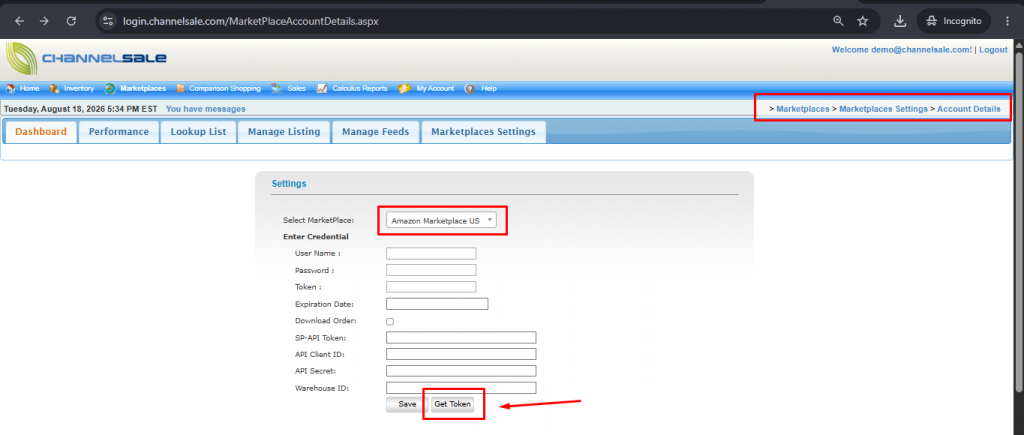
This page provides step-by-step instructions on how to set up your Amazon API details in ChannelSale.
Steps to Add Amazon API Details in ChannelSale
- Log in to your ChannelSale account.
- Navigate to Marketplaces → Marketplace Settings → Account Details.
- Select the appropriate Amazon marketplace/country (for example, Amazon.com).
- Click on Get Token.
- You will be redirected to your Amazon US Seller Central account, where you need to authorize ChannelSale as a developer/application.
- Once ChannelSale has been successfully authorized, you will be redirected back to the ChannelSale Account Details page.
- Verify that the Amazon account/token details have been populated successfully.
- Save the settings and proceed with the Amazon marketplace configuration.
This authorization flow is consistent with Amazon’s SP-API OAuth process, where the seller grants permission to an application and Amazon returns authorization information that the application uses to obtain the required tokens.